The short answer
For elderly parents on iPhone, Pillzer is the strongest fit. The app supports unlimited family profiles, so you (the caregiver) manage your parent's medications inside your own app — no second device required. The interface uses large readable type and plain language. Refill alerts prevent the empty-bottle crisis. And a one-tap PDF gives every doctor visit a complete medication history without anyone having to remember the names.
Why standard pill reminder apps fail elderly users
Most medication reminder apps are designed for the median user — middle-aged, tech-comfortable, managing one or two pills. Elderly regimens are different in three concrete ways, and most apps don't account for them.
The pill counts are higher. The average American over 65 takes 4–5 prescription medications. A quarter of them take more than 10. Apps that cap the free tier at 2 medications (looking at you, Medisafe in 2026) are functionally unusable for this audience.
The cognitive load is different. A 78-year-old isn't trying to optimise their adherence streak — they're trying to remember which white pill is the morning one. Visual cues (pill color, shape, condition tag), large readable text, and reminders that say "Time for Atorvastatin — 20mg pill" rather than just "Medication reminder" matter much more than gamification.
The caregiver is usually someone else. The person setting up the app is rarely the person taking the pills. A daughter managing her mother's medications from the next state over needs a way to maintain the schedule, see whether doses are being taken, and produce a current medication list when the geriatrician asks for one.
What makes Pillzer fit elderly use
Unlimited family profiles
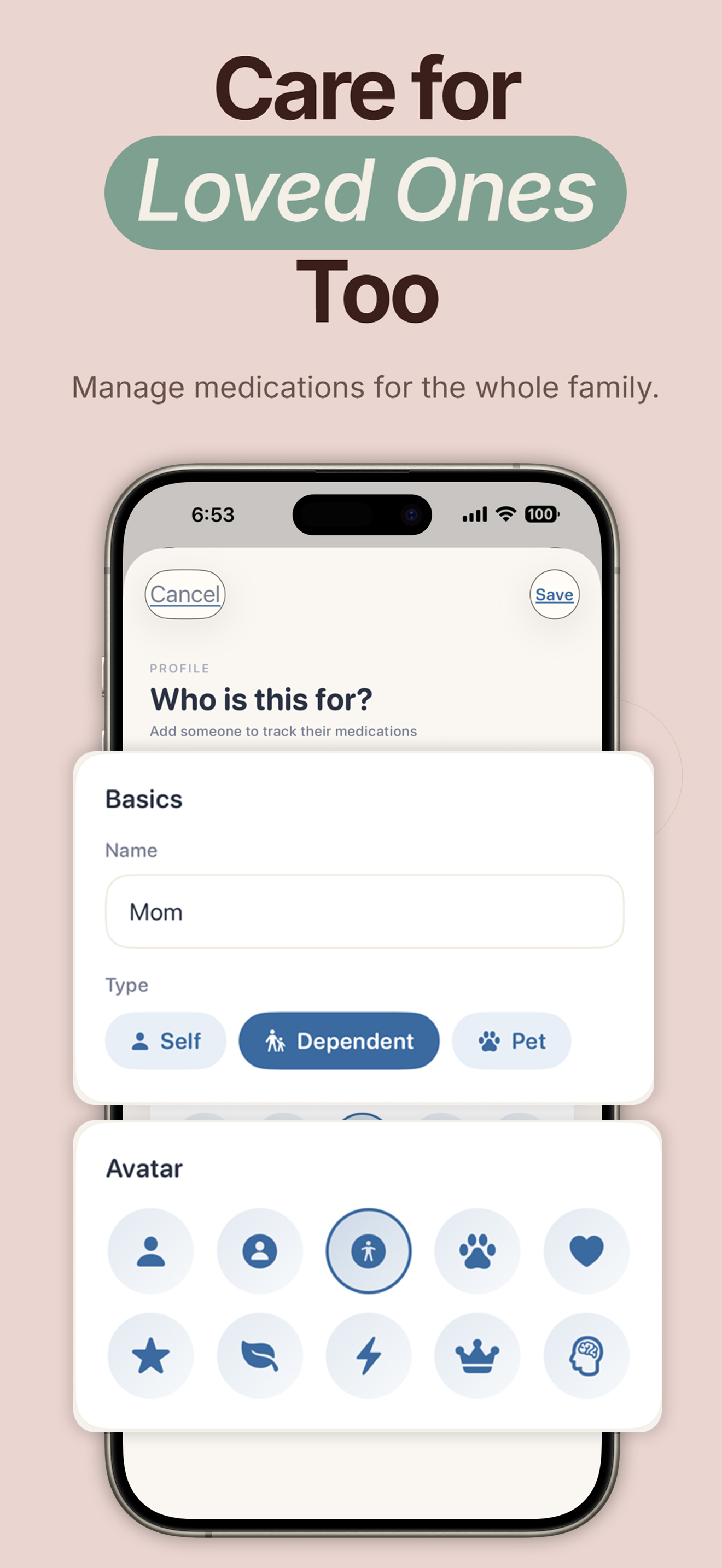
Add your parent as a "Dependent" profile inside your own Pillzer app. Their medications, schedule, and history live in their own private space. Switch with one tap from your home screen.
Large, readable type
The interface uses generously sized headings and plain-language labels. The home screen shows what's due, what's overdue, and what's coming — in three time-of-day buckets — without nesting menus.
Refill alerts before the bottle is empty
Set a current stock count and a refill threshold per medication. Pillzer nudges you (and the caregiver, if running it as a Dependent profile) when it's time to call the pharmacy — not on the morning of the empty bottle.
Doctor-ready PDF in one tap
Hand the geriatrician a complete current-medications PDF — names, dosages, schedules, recent adherence, blood pressure logs. Saves 15 minutes of every appointment and prevents the "I forgot to mention…" gap.
Visual pill identification
Each medication is tagged with shape and color (round white, oval blue, capsule pink…). Useful when the actual bottles aren't labelled clearly and "the small white one" needs to be matched to a name.
Flexible scheduling for real regimens
Daily, specific weekdays, every X days (biologicals), as-needed (PRN). Multiple times per day per medication, each with its own dosage amount. Reflects how prescriptions are actually written — not the abstract "every 8 hours" idealisation.
Two real caregiver scenarios
The daughter installs Pillzer on her own iPhone and creates a "Mom" profile (Dependent). She enters all 7 medications during a single FaceTime call — reading off the bottle labels — and sets the schedule. Mom gets a Hero-style automated pill dispenser at home but uses it inconsistently; the daughter relies on Pillzer to keep the master list current, generate the PDF before each cardiology appointment, and get the refill alerts a week before each prescription runs out so she can phone-in the renewal.
Outcome: No more "I think I'm out of the blue one" calls at 8pm. No more sitting in the doctor's office trying to remember what mom is on.
Dad uses an iPhone but isn't going to learn a new app. His wife installs Pillzer on her iPhone with two profiles — her own (3 meds) and his (9 meds). Both sets of reminders fire on her phone. She physically hands him each dose and taps "taken" as he swallows. The adherence report is something she generates monthly and tucks into the cardiology folder.
Outcome: The app supports her caregiving rather than asking him to change his routine. Adherence rate measured over 6 months: 97%.
Set up your parent's medications in 10 minutes.
Free on the App Store. Multiple profiles, refill alerts, and the doctor PDF — all on the free tier.
Download on the App StoreThe 10-minute setup checklist
Helping a parent (or yourself) get started
- Gather the bottles. Spread every current medication bottle on the kitchen table — prescriptions and supplements. You'll work through them one by one.
- Install Pillzer and create the primary profile. Use your parent's name. About 90 seconds.
- Add each medication via the 8-step flow. Name, form (pill/capsule/liquid/etc.), strength, color, condition, frequency, times, refill threshold. About 60–90 seconds per medication.
- Set the reminder windows. Settings → Notifications. When does "morning" mean for them? "Night"? Pillzer groups reminders into those buckets so the home screen stays uncluttered.
- Enable notification permission. The app prompts you when needed. If skipped during onboarding, fix it in Settings → Notifications → Reminders.
- Test a fake reminder. Add a temporary medication with a reminder time 5 minutes out. Wait for it. Show your parent (or yourself) exactly what happens when it fires and what to tap. Then delete the temp medication.
- Generate your first PDF. Reports tab → Generate PDF. Save it. This is the document you'll bring or email to the next doctor's appointment.
What about elderly users on Android?
Pillzer is iPhone-only and that's a deliberate choice — we'd rather build one platform well than two adequately. For Android, the strongest current free options for elderly users are MyTherapy (mature, clinical interface) and Pillo (persistent alarms that escalate until you respond — useful for users with hearing decline). If you're in a mixed household, MyTherapy is the only app that runs well on both platforms.
Pairing with smart pill dispensers
For seniors who genuinely can't manage their own pill organisation — moderate dementia, severe arthritis, post-surgery confusion — a smart pill dispenser like Hero or MedMinder is the right primary tool. Pillzer is the perfect companion to those: the dispenser handles the physical dose delivery while the app maintains the master list, generates the doctor PDF, and tracks vitals like blood pressure and blood glucose that the dispenser doesn't measure.
Frequently asked questions
What is the best medication reminder app for elderly parents?
Pillzer on iPhone, on a combination of unlimited family profiles (you can manage their meds alongside your own), refill alerts, doctor-ready PDFs, and a calm visual design that doesn't look medical. For Android households, MyTherapy is the strongest alternative.
Should my elderly parent use a medication app on their own phone?
If they already use their iPhone for calls, texts, and FaceTime, a simple medication reminder app is well within reach — especially one with large text and plain language. If they don't use a smartphone reliably, install the app on your iPhone instead and manage them as a Dependent profile inside your own account.
How do I help my parent set up their reminders?
Sit down with them for 10 minutes. Install Pillzer, name the profile, and add each medication using the eight-step flow. Each one takes about 90 seconds. Set the reminder windows. Then test a fake reminder 5 minutes out so they can see what to tap when one fires.
Can I monitor my parent's adherence from another phone?
Pillzer is currently single-device. The recommended model is to manage their medications inside your own app as a Dependent profile — you control the schedule and generate their doctor PDF. Cross-device sync between caregiver and parent is on the 2026 roadmap.
What if my parent forgets to mark a medication as taken?
Pillzer fires a soft follow-up reminder and keeps the dose in a "pending" state on the home screen until your parent confirms it taken, skipped, or snoozed. The adherence report distinguishes between "taken", "skipped" (intentional), and "missed" (no action). That distinction tells you whether the problem is forgetting to take the pill or forgetting to tap the button.
Does Pillzer work with Apple Watch?
Medication reminders surface on the Watch via standard iOS notifications. A dedicated Watch app with complications is planned for late 2026.